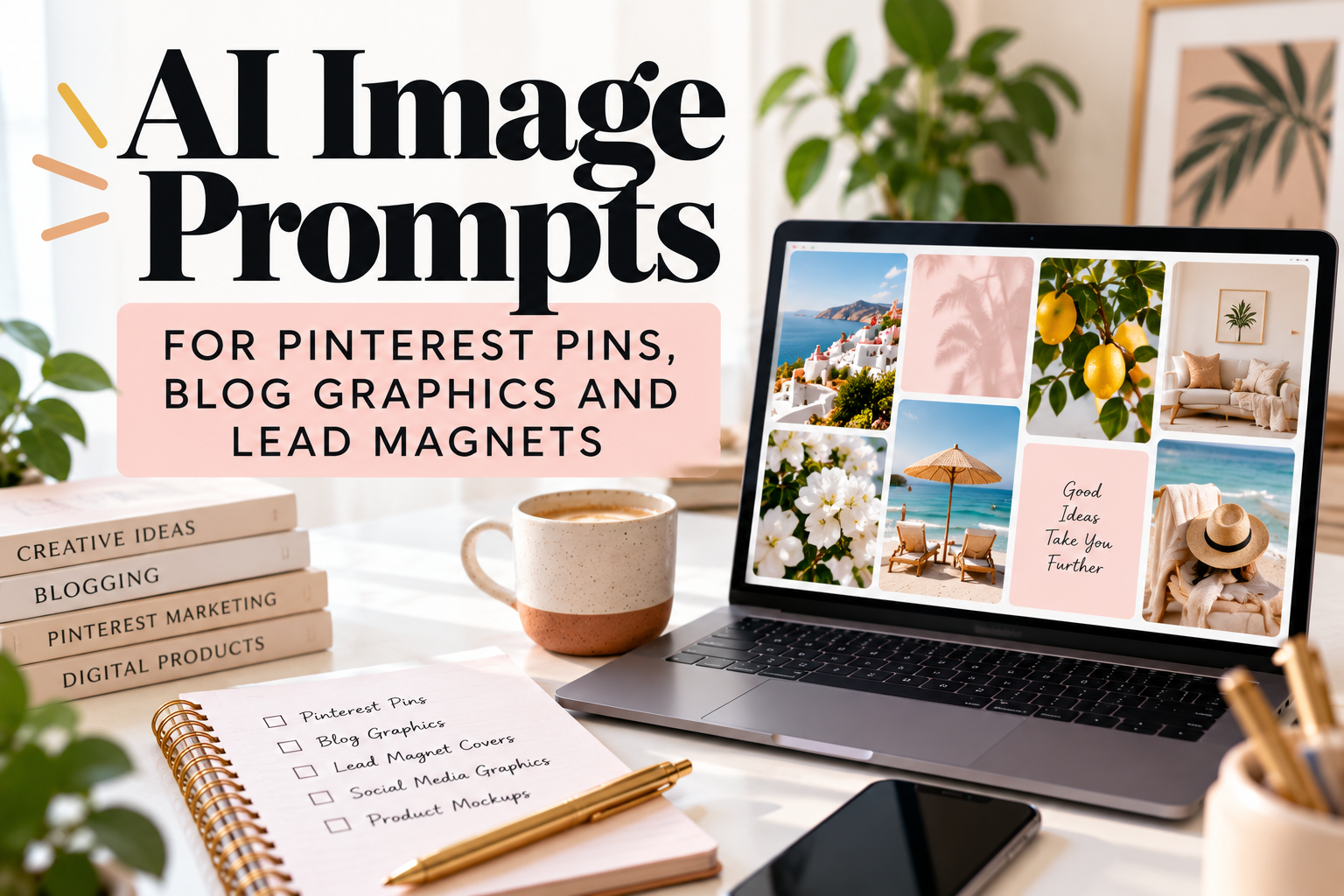
AI Image Prompts for Pinterest Pins, Blog Graphics and Lead Magnets
AI image generators can save you a lot of time when you need visuals for Pinterest, blog posts or lead magnets.
They can also produce a spectacular amount of unusable nonsense.
The difference usually comes down to the prompt.
If you ask for:
a pretty desk photo for Pinterest
you may get something vaguely attractive, but you haven’t told the model what the image is for, where the text needs to go, what the composition should look like or what kind of audience will see it.
A stronger AI image prompt explains:
- what the image is for;
- the main subject;
- the setting;
- the composition;
- the visual style;
- lighting and colour;
- important empty space;
- what should not appear.
OpenAI’s current image prompting guidance recommends defining the intended result first, then describing the subject, composition, style and important constraints.
That approach is particularly useful for marketing graphics, because you are not just trying to generate a nice picture.
You need an image that works inside a design.
Below are practical AI image prompts you can adapt for Pinterest Pins, blog graphics and lead magnets.
READ: Claude Prompts for Business Owners | 15 Practical Prompts That Save Time
A simple AI image prompt formula
You do not need a 400-word prompt every time.
For most marketing images, this structure is enough:
Create a [TYPE OF IMAGE] for [PURPOSE].
Main subject: [SUBJECT]
Setting: [SETTING]
Composition: [WHERE SUBJECT SITS / WHERE EMPTY SPACE SHOULD BE]
Style: [PHOTOREALISTIC / EDITORIAL / MINIMAL / ILLUSTRATED / ETC.]
Lighting and colour: [DETAILS]
Important constraints: [NO TEXT / NO LOGOS / NO PEOPLE / CLEAN BACKGROUND / ETC.]
Aspect ratio: [RATIO]
You can then refine the image instead of starting from scratch every time.
OpenAI also recommends iterating on one change at a time when refining an image, which is often much easier than rewriting an enormous prompt after every result.
AI image prompts for Pinterest Pins
Pinterest is a visual discovery platform, so the image needs to work at a glance.
Pinterest currently recommends a 2:3 aspect ratio, with 1000 x 1500 pixels as the standard reference size for image Pins.
For most blog and business Pins, I would generate the image without text and add the title yourself in Canva.
That gives you far more control over typography, branding and readability.
Read: ChatGPT Prompts for Digital Products You Can Create in Canva
1. Clean lifestyle image with space for a Pin title
Prompt:
Create a photorealistic vertical Pinterest image for a blog post about [TOPIC].
Show [MAIN SUBJECT] in a bright, modern setting.
Place the main subject in the lower third of the composition and leave generous clean negative space in the upper half for a text overlay that I will add later.
Use soft natural daylight, realistic textures and a polished editorial lifestyle photography style.
Colour palette: [COLOURS].
Avoid text, logos, watermarks, clutter and distorted objects.
Vertical 2:3 composition.
Best for
- lifestyle blogs;
- parenting content;
- productivity articles;
- business content;
- home and organisation topics.
2. Flat-lay Pinterest image
Prompt:
Create a vertical flat-lay photograph for a Pinterest Pin about [TOPIC].
Include:
[OBJECT 1]
[OBJECT 2]
[OBJECT 3]Arrange the objects neatly around the outer edges of the frame.
Leave a large uncluttered area in the centre for headline text that will be added later.
Use soft daylight, realistic shadows and a clean editorial photography style.
Background: [BACKGROUND].
Colour palette: [COLOURS].
No text, logos, hands, watermarks or unnecessary objects.
Vertical 2:3 composition.
This works particularly well when the article itself is not visually obvious.
For example:
- blogging;
- online business;
- planning;
- AI tools;
- organisation.
3. Home office Pinterest image
Prompt:
Create a photorealistic vertical image of a calm home-office workspace for a Pinterest Pin about [TOPIC].
Include a laptop, notebook, pen and [OPTIONAL OBJECT].
The workspace should feel realistic and lived-in rather than staged like a furniture catalogue.
Position the desk and objects in the bottom half and leave clean negative space above them for text.
Soft window light, neutral tones, subtle warmth, editorial lifestyle photography.
No readable text on screens or notebooks.
No logos or watermarks.
Vertical 2:3 composition.
4. Small-business Pinterest image
Prompt:
Create a vertical editorial photograph for a Pinterest graphic aimed at small-business owners.
Scene: [DESCRIBE BUSINESS TASK].
Show the tools naturally used for this task, such as [OBJECTS].
Keep the composition simple and realistic.
Place visual interest in the lower and side areas while leaving clean negative space at the top for a headline.
Style: polished but approachable small-business photography.
Lighting: bright natural daylight.
No readable text, logos, watermarks or exaggerated luxury styling.
Vertical 2:3 composition.
5. Product-focused Pinterest image
Prompt:
Create a vertical Pinterest marketing image featuring [PRODUCT TYPE].
Display the product naturally on [SURFACE/SETTING].
Include subtle supporting objects that reinforce the product’s use without distracting from it.
Keep the main product clearly visible.
Leave approximately the top third of the image uncluttered for marketing text.
Style: clean commercial lifestyle photography.
Colours: [PALETTE].
No text, logos or watermarks.
Vertical 2:3 composition.
AI image prompts for blog graphics
Blog graphics have a different job.
They do not always need large areas for headline text, and they can often be wider and more editorial.
Use them to:
- break up long sections;
- illustrate an idea;
- introduce a topic;
- make abstract subjects more visually understandable;
- support social sharing.
6. Blog feature image
Prompt:
Create a polished blog feature image for an article about:
[ARTICLE TOPIC]
Show [MAIN VISUAL CONCEPT].
The image should communicate the subject quickly without using words.
Composition: balanced, editorial and suitable for a website hero image.
Style: [PHOTOREALISTIC / EDITORIAL ILLUSTRATION / MINIMAL 3D / ETC.]
Colour palette: [COLOURS].
No text, logos, watermarks or overly busy details.
Landscape composition.
7. Abstract blog graphic for AI or technology topics
Prompt:
Create a sophisticated editorial image representing [AI/TECH CONCEPT].
Avoid cliché humanoid robots, glowing brains and science-fiction interfaces.
Instead, use visual elements such as [NETWORKS / LAYERS / DOCUMENTS / CREATIVE TOOLS / DATA STRUCTURES].
Style: modern editorial illustration with clean geometry and restrained detail.
Colours: [PALETTE].
The result should feel contemporary, useful and credible rather than futuristic or dystopian.
No text or logos.
Landscape composition.
This is especially useful for Easy Prompt Lab because AI content can very quickly turn into:
blue robot + glowing circuit + mysterious hologram
which becomes visually repetitive.
8. Before-and-after blog illustration
Prompt:
Create a split-composition editorial image illustrating the difference between:
BEFORE: [PROBLEM]
AFTER: [IMPROVED STATE]
Use visual contrast to make the change obvious without adding text.
Keep both sides visually consistent in style and perspective.
Use [STYLE].
Avoid exaggerated facial expressions or cartoonish symbolism.
No text or logos.
Landscape composition.
9. Process or workflow image
Prompt:
Create a clean editorial image representing this workflow:
[STEP 1] → [STEP 2] → [STEP 3]
Represent each stage visually using simple objects or scenes rather than written labels.
The composition should move naturally from left to right.
Style: minimal editorial illustration.
Colour palette: [COLOURS].
Keep the background simple.
No text, logos or watermarks.
Landscape composition.
10. Human-focused blog image
Prompt:
Create a realistic editorial photograph of [TYPE OF PERSON] working on [TASK].
The scene should feel natural and candid rather than posed.
Setting: [HOME OFFICE / KITCHEN TABLE / CO-WORKING SPACE / ETC.]
Include realistic objects associated with the task.
Use natural lighting and authentic body language.
Avoid exaggerated expressions, artificial smiles or overly polished stock-photo styling.
No visible brand logos or readable screen text.
Landscape composition.
AI image prompts for lead magnets
Lead magnets usually need a stronger sense of structure and branding.
The image generator can help you create:
- cover imagery;
- background textures;
- supporting visuals;
- mockups;
- decorative elements.
But I would still add the actual title, logo and typography manually in Canva.
11. Lead magnet cover background
Prompt:
Create a clean background image for a lead magnet cover about [TOPIC].
Audience: [AUDIENCE].
Visual concept: [CONCEPT].
Keep the lower-right and central areas visually interesting, but leave generous uncluttered space in the upper-left area for a title and subtitle.
Style: modern editorial design.
Colour palette: [COLOURS].
Avoid text, logos, icons with embedded words and busy patterns.
Portrait composition.
12. Workbook cover image
Prompt:
Create a polished portrait cover image for a practical workbook about [TOPIC].
Use [VISUAL SYMBOL OR SCENE] to represent the subject.
The design should feel useful, modern and professional rather than corporate.
Keep the centre and upper third relatively simple so I can add the title later.
Use [PALETTE].
Style: clean editorial illustration with subtle depth.
No text, logos or watermarks.
13. Checklist lead magnet visual
Prompt:
Create a clean lifestyle image for a downloadable checklist about [TOPIC].
Show [RELEVANT OBJECTS OR ACTIVITY].
The image should feel organised, practical and achievable.
Use a simple composition with lots of breathing room.
Colour palette: [COLOURS].
No text, visible logos or clutter.
Portrait composition suitable for a PDF cover.
14. Ebook lead magnet visual
Prompt:
Create an editorial cover image for a short ebook about [TOPIC].
Main concept:
[CONCEPT]
Audience:
[AUDIENCE]
Style: sophisticated, contemporary and approachable.
Use a restrained visual rather than multiple competing objects.
Leave clean negative space for the ebook title.
No text, logos or watermarks.
Portrait composition.
15. Digital-product mockup image
Prompt:
Create a realistic product mockup scene displaying a digital PDF resource.
Show:
- one tablet;
- one printed page;
- one notebook;
- subtle desk accessories.
Keep the screen and paper areas blank so I can add my own product design later.
Use soft natural daylight.
Style: premium but realistic editorial product photography.
Background: [BACKGROUND].
No text, logos or watermarks.
Landscape composition.
Prompts for specific Pinterest and blog niches
The basic structure becomes much more useful when you adapt it to the reader.
16. Parenting or family-content image
Prompt:
Create a warm editorial lifestyle image for content about [FAMILY/PARENTING TOPIC].
Show a realistic family-related scene using objects and environment rather than identifiable children’s faces.
Include [OBJECTS].
Use warm natural daylight and a calm, practical atmosphere.
Leave clean negative space for text if used as a Pinterest graphic.
Avoid staged stock-photo poses, exaggerated mess and visible brand logos.
Vertical 2:3 composition.
17. Blogging or creator-business image
Prompt:
Create a realistic workspace image for content about blogging and online content creation.
Show a laptop, notebook, content-planning materials and a phone arranged naturally on a desk.
Make the setting feel like a real independent creator’s workspace rather than a large corporate office.
Use natural daylight, warm neutral tones and a clean editorial style.
Leave generous upper space for Pinterest text.
No readable text on devices.
Vertical 2:3 composition.
18. Digital-product creator image
Prompt:
Create a lifestyle image representing someone creating digital products from home.
Show a laptop with a generic design workspace, printed planning sheets, notebook and stylus.
Keep screen content abstract and unreadable.
Use bright natural light and a calm, productive atmosphere.
Main visual interest should sit in the bottom half.
Leave the upper section uncluttered for headline text.
No logos or watermarks.
Vertical 2:3 composition.
19. Small-business planning image
Prompt:
Create an editorial flat-lay image representing small-business planning.
Include a notebook, calendar, laptop, calculator and simple planning materials.
Arrange the objects naturally around the edges.
Leave central negative space for a Pinterest headline.
Use realistic materials, subtle shadows and warm neutral colours.
Avoid fake charts containing unreadable text.
No visible logos.
Vertical 2:3 composition.
20. Productivity lead magnet image
Prompt:
Create a clean, calm editorial image for a productivity lead magnet.
Show a tidy workspace with a notebook, simple timer, pen and laptop.
The scene should suggest focus and organisation without appearing sterile.
Use soft daylight and neutral colours with [ACCENT COLOUR].
Leave ample negative space for a title.
No text, logos or watermarks.
Portrait composition.
How to make AI-generated images look less generic
One of the biggest problems with AI visuals is that they can look technically polished and completely forgettable.
You can improve this by changing the details you give the model.
Specify the composition
Instead of:
woman working on laptop
try:
woman seated at the right-hand side of a small kitchen table, viewed at a slight angle, laptop open, notebook beside her, empty space on the left for a headline.
That gives the model a job to do.
Describe materials and lighting
Words like these can help:
- soft window light;
- matte paper;
- natural wood;
- linen;
- realistic shadows;
- overcast daylight;
- warm tungsten lighting;
- morning sunlight;
- shallow depth of field.
OpenAI’s image prompting guidance specifically recommends describing visible characteristics such as lighting, materials, texture and framing rather than relying only on broad mood words.
Tell the generator what to leave out
Negative constraints are useful when they solve recurring problems.
For example:
No text, no logo, no watermark, no extra fingers, no visible brand names, no cluttered background.
You do not need to create an enormous blacklist.
Only exclude things that actually interfere with the asset you’re making.
Generate the image without the headline
This is my preferred workflow for Pinterest and lead magnets.
Generate:
the visual
Then add:
the typography
in Canva.
AI image generators are getting better at text, but manually adding the headline gives you much tighter control over font, spacing, hierarchy and branding.
A useful AI image prompt checklist
Before generating, check whether your prompt includes:
| Prompt element | Example |
|---|---|
| Purpose | Pinterest Pin for a blog article |
| Subject | Woman planning content at a desk |
| Setting | Bright home office |
| Composition | Subject on right, empty space on left |
| Style | Editorial lifestyle photography |
| Lighting | Soft natural window light |
| Colour | Warm neutrals and blue accents |
| Constraints | No text or logos |
| Format | Vertical 2:3 |
You do not need every item every time.
But the more important the visual is, the more useful specificity becomes.
Should you use AI images commercially?
This depends partly on the tool and the content you generate, so check the current terms of the image generator you’re using.
For example, Canva’s current AI terms say users generally own AI output produced through its AI products to the maximum extent allowed by law, subject to exceptions where licensed Canva content is incorporated. Canva also notes that AI-generated outputs may not be unique and that copyright ownership of AI-generated works can be legally uncertain in some jurisdictions.
Canva’s current commercial-use guidance also says AI-generated images can be used for lawful purposes, including commercial projects, subject to its AI terms and any underlying licensed content.
That means you should not assume:
I generated it, therefore I automatically own exclusive copyright everywhere.
Those are not necessarily the same thing.
If an image is commercially important, check the current terms of the specific service you’re using.
Avoid prompting for copyrighted or branded material unnecessarily
For ordinary blog and Pinterest graphics, you usually don’t need:
make this exactly like [living artist / photographer / brand campaign]
A better prompt describes what you actually want:
warm editorial photography, soft side lighting, muted neutrals, shallow depth of field
rather than outsourcing the entire visual direction to somebody else’s recognisable style.
Similarly, avoid asking for brand logos or product packaging unless you genuinely need them and have the right to use them.
A simple workflow for Pinterest, blog graphics and lead magnets
You can keep the process very straightforward.
1. Decide the purpose
Is this:
- a Pin;
- blog feature image;
- section illustration;
- ebook cover;
- checklist cover;
- lead-magnet mockup?
2. Decide where text will go
If you need text, deliberately create empty space for it.
3. Generate the image
Keep the prompt specific but readable.
4. Refine one thing at a time
If the result is nearly right, ask for a specific adjustment such as:
keep the same scene but move the subject further right and increase empty space on the left.
OpenAI recommends this kind of iterative refinement for image work.
5. Finish the graphic in Canva
Add:
- title;
- brand fonts;
- colours;
- logo where appropriate;
- CTA;
- supporting graphics.
6. Check the final design at small size
This is especially important for Pinterest.
A title that looks beautiful at full screen can become completely unreadable in the feed.
7. Export the correct format
For standard Pinterest images, Pinterest currently accepts PNG and JPEG and recommends the 2:3 format.
Frequently asked questions
What should I include in an AI image prompt?
At minimum, describe:
- what you want;
- the main subject;
- how the image should be composed;
- the style;
- important visual details;
- any constraints.
For marketing graphics, also specify where you need empty space for text.
Should AI image prompts be long?
Not necessarily.
OpenAI’s current guidance says effective image prompts can often be just one to three clear sentences if they define the result properly.
Longer prompts are useful when the composition or constraints are more complicated.
What size should I use for Pinterest images?
Pinterest currently recommends a 2:3 aspect ratio for standard image Pins, with 1000 x 1500 pixels given as the reference size.
Should I add text inside the AI image generator?
You can, but for Pinterest Pins and lead magnets I generally prefer generating the visual without text and adding typography separately in Canva.
That gives you more control over branding and readability.
Can I use AI images in lead magnets?
Usually yes, provided the tool’s terms allow commercial use and you have the necessary rights to any source material used.
Check the current licence or AI terms for the platform you’re using.
Can I sell products containing AI-generated images?
Possibly, but commercial use and copyright ownership are not the same issue.
For example, Canva allows lawful commercial use of AI-generated outputs subject to its terms, while also warning that copyright ownership of AI-generated material can be legally uncertain in some countries.
Better AI images start with better instructions
You do not need to become an expert photographer to write a useful AI image prompt.
You just need to stop asking for “a nice picture.”
Tell the model:
- what the image is for;
- what should be in it;
- how the composition should work;
- where the text needs to go;
- what visual style you want;
- what should not appear.
Then refine the image instead of repeatedly starting over.
For Pinterest Pins, blog graphics and lead magnets, the goal isn’t simply to create something attractive.
It is to create something that fits the job you need it to do.